Notification settings customization
You'll automatically receive notifications for all of your locations on the David Energy platform, including weekly thermostat updates and bill monitoring alerts. However you can customize location-level notification settings so you only receive alerts for the locations that matter to you. You can also update these settings for your team.
How to update your settings:
First, email success@davidenergy.com to let us know who should serve as your team admin. (We’ll need their full name and email address.) We’ll update their permissions so they can manage location-level access for everyone.
Once access is granted, the admin can customize user access:
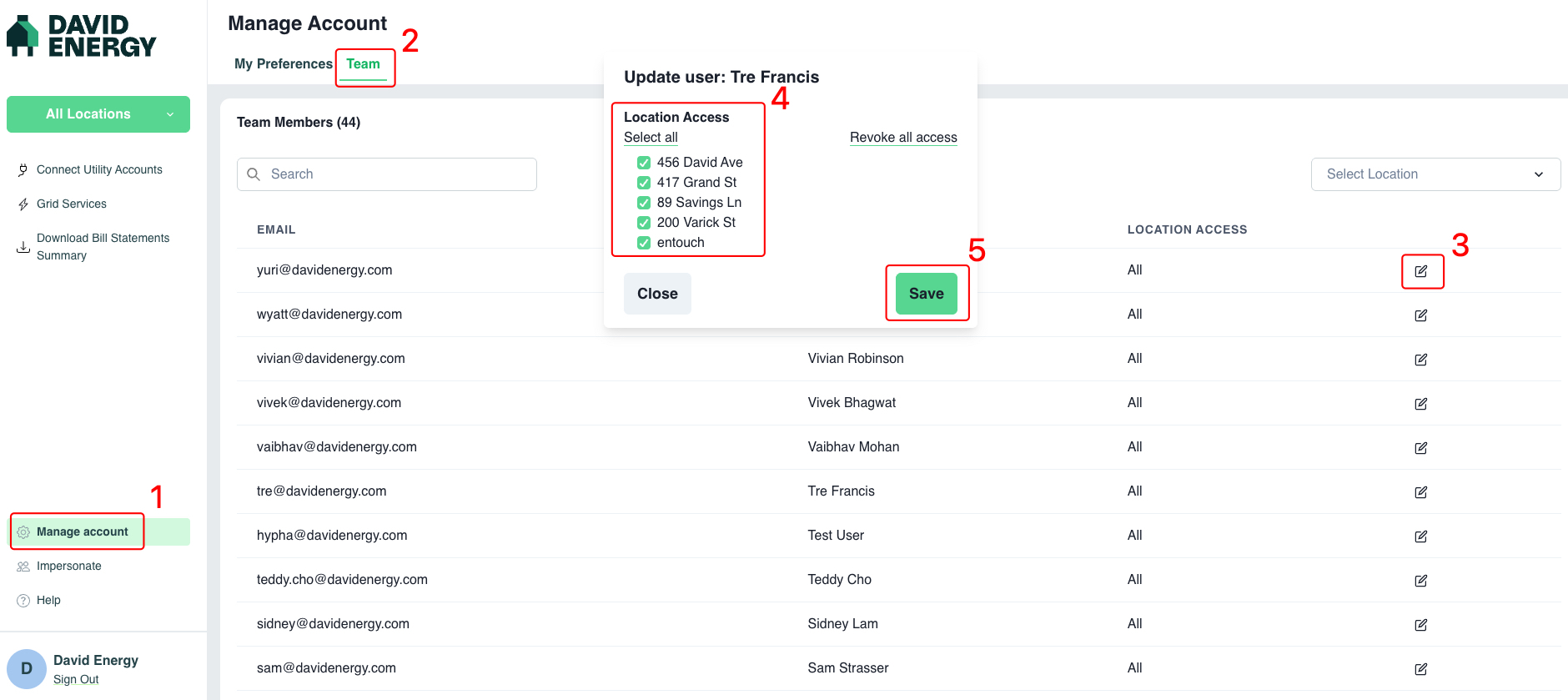
Log in to the David Energy Platform
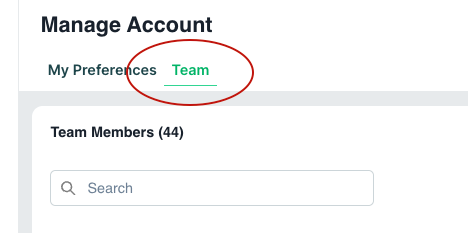
Go to Manage Account (bottom left corner) → Team
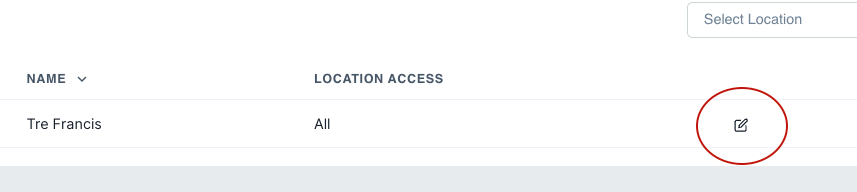
Click the Edit icon next to a user
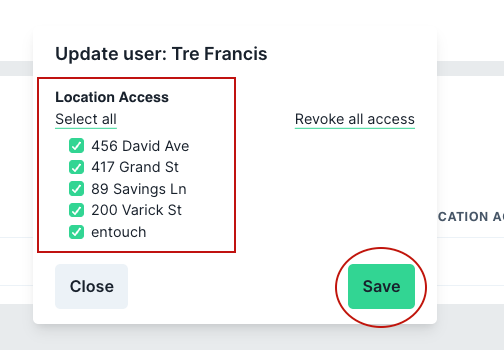
Select the locations the user should have access to
Click Save
Full account management page:
If you have any trouble with this set up, or have any questions, please email us at success@davidenergy.com.